
Kindle Comic Converter for Perfect Kindle Reading
Kindle Comic Converter lets you convert CBR, CBZ, PDF, and image files into Kindle-optimized formats with smart panel detection, enhanced image quality, and smooth reading performance on all compatible Kindle devices.
- 2M+ Downloads
- 100% Free
- 4.9/5
- About KCC
What Is Kindle Comic Converter?
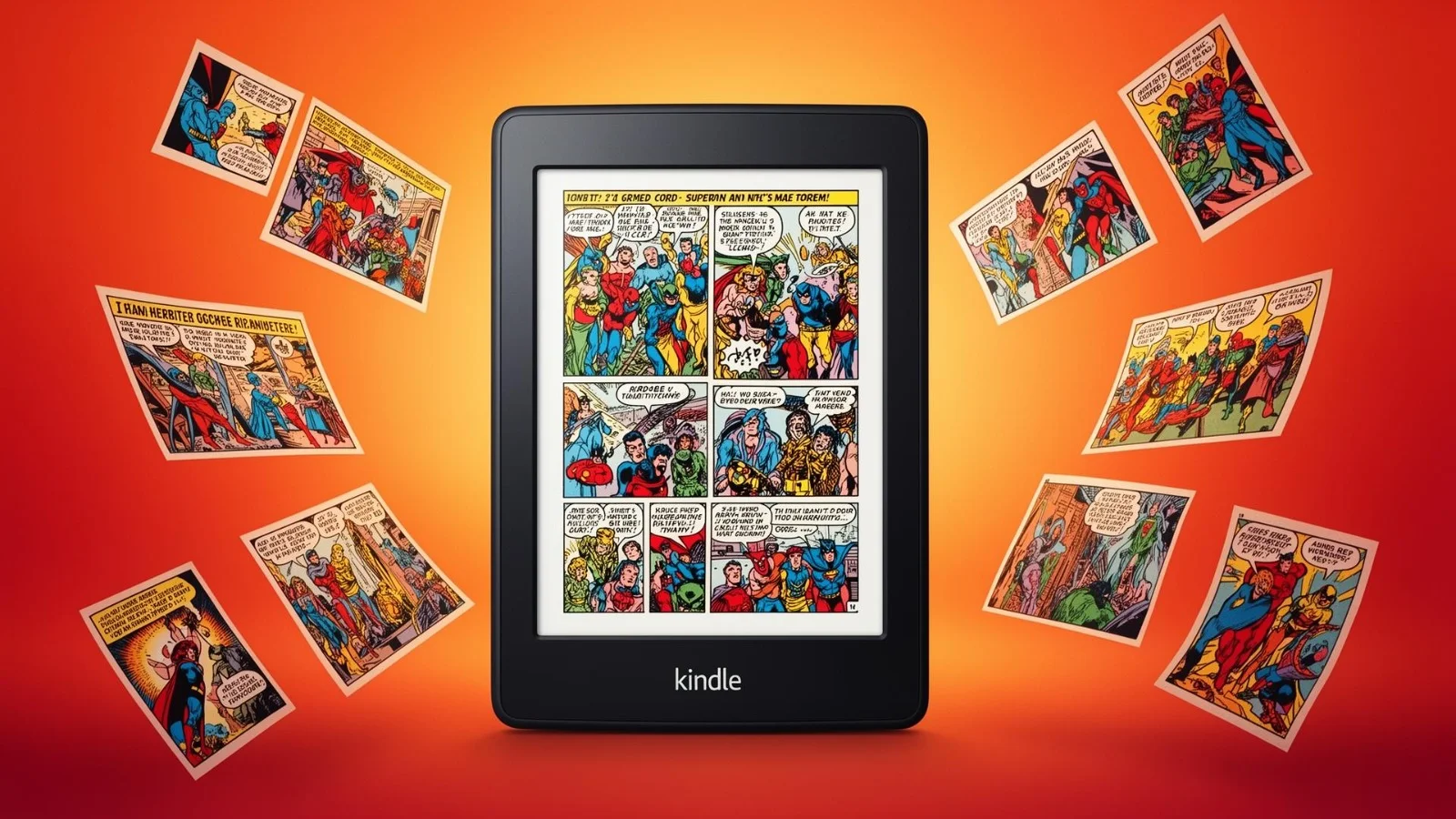
Kindle Comic Converter (KCC) is a specialized software tool designed to convert digital comics and manga into formats optimized for Kindle e-readers. Standard comic files such as CBR, CBZ, PDF, or image folders are typically created for large screens, which makes them difficult to read comfortably on e-ink devices. Kindle Comic Converter solves this problem by automatically adjusting layouts, enhancing images, and converting files into Kindle-friendly formats like AZW3 or MOBI.
At its core, Kindle Comic Converter focuses on readability. It analyzes each page, detects panels, and reformats content to fit smaller screens without compromising clarity. This process reduces the need for constant zooming and panning, creating a smoother and more immersive reading experience. The tool is particularly valuable for manga readers, where proper scaling and right-to-left formatting are essential.
Beyond simple format conversion, Kindle Comic Converter includes intelligent image processing features. Users can optimize contrast, sharpen details, adjust margins, and select device-specific profiles to ensure the output file performs well on various Kindle models. Batch processing also allows multiple comics to be converted at once, making it efficient for larger digital libraries.
All Genres
Comics & Manga
500+ Files
Batch Processing
Lossless
Image Quality
< 30 sec
Conversion Speed
2M+
Downloads
50K+
Active Users
99.9%
Success Rate
4.9/5
User Rating
- Advanced Technology
Powerful Features Built for Kindle Comic Converter
Kindle Comic Converter is built for serious comic and manga readers who want flawless performance on Kindle devices. Every feature focuses on improving readability, preserving artwork quality, and delivering a smooth experience on e-ink screens. Below are six carefully engineered features that transform standard comic files into perfectly optimized Kindle editions.
Smart Panel Detection
Smart Panel Detection intelligently analyzes each comic page and restructures it to match the dimensions of Kindle screens. Instead of forcing readers to zoom and drag repeatedly, the system automatically crops unnecessary margins and isolates individual panels for comfortable viewing. This ensures the storytelling flow remains intact while improving legibility.
Key Benefits:
- Automatically detects and crops individual panels
- Removes excessive white margins for better screen usage
- Maintains original artwork proportions
- Enhances speech bubble clarity
- Reduces the need for manual zooming and panning

Kindle-Optimized Output
This feature converts comic files into formats specifically optimized for Kindle devices. It ensures proper scaling, grayscale adaptation, and smooth rendering on e-ink displays. The output is structured to minimize performance issues while maximizing readability across different Kindle models.
Key Benefits:
- Generates AZW3 and MOBI files optimized for Kindle
- Ensures smooth page transitions
- Improves compatibility with modern Kindle models
- Enhances grayscale rendering quality
- Prevents layout distortion during conversion

Advanced Image Enhancement
E-ink screens require specialized image adjustments to display artwork clearly. The Advanced Image Enhancement engine automatically fine-tunes contrast, sharpness, and brightness to make text and illustrations stand out without overexposure. This results in cleaner visuals and a more immersive reading experience.
Key Benefits:
- Improves clarity of text and dialogue bubbles
- Sharpens line art and detailed illustrations
- Optimizes brightness for e-ink screens
- Balances contrast for improved readability
- Allows optional manual image adjustments
High-Speed Batch Conversion
For users with extensive comic libraries, batch processing significantly reduces time and effort. This system allows multiple files or entire folders to be converted in one session while maintaining consistent quality and formatting throughout the collection.
Key Benefits:
- Converts multiple files simultaneously
- Maintains consistent output settings
- Saves time for large comic collections
- Reduces repetitive manual tasks
- Handles bulk imports efficiently

Custom Output Controls
Every reader has different preferences. Custom Output Controls allow you to fine-tune resolution, page scaling, reading direction, and margin trimming. Whether you prefer higher image quality or smaller file sizes, this feature gives full flexibility.
Key Benefits:
- Adjustable resolution and compression settings
- Margin trimming customization
- Right-to-left reading support for manga
- Page scaling control options
- Balanced file size and quality selection
Wide Format Compatibility
Kindle Comic Converter supports a broad range of comic formats, ensuring flexibility for users with diverse file types. Whether your collection includes archived comic files or image folders, the tool converts them smoothly into Kindle-ready formats without complex steps.
Key Benefits:
- Supports CBR and CBZ formats
- Converts PDF comics effectively
- Accepts ZIP archives and image directories
- Exports to AZW3, MOBI, and EPUB
- Ensures stable and reliable conversion results

- Simple Process
How Kindle Comic Converter Works
Kindle Comic Converter is designed to transform standard comic files into Kindle-optimized formats through an intelligent, step-by-step processing system.
Import Your Comic Files
The process begins by adding your source files into the software.
Kindle Comic Converter supports common comic and image formats such as:
CBR
CBZ
PDF
ZIP archives
JPG / PNG image folders
Once uploaded, the tool automatically scans the content structure and prepares it for optimization. This ensures the pages are correctly ordered and ready for conversion.
Select Your Kindle Device Profile
After importing files, you choose your target Kindle device.
Each Kindle model has a different screen size and resolution. By selecting the correct device profile, the software automatically adjusts:
Page dimensions
Image resolution
Screen scaling
File compression level
This step ensures that your comics display perfectly on devices like Kindle Paperwhite or other e-ink models without distortion or cropping issues.
Smart Image Processing & Panel Detection
This is where the core optimization happens.
Kindle Comic Converter analyzes each page and applies intelligent processing, including:
Automatic margin trimming
Smart panel cropping
Contrast and brightness enhancement
Image sharpening for e-ink clarity
Because Kindle screens are smaller than standard comic pages, this feature improves readability by focusing on the actual content instead of unnecessary white space.
Layout Optimization for Kindle Reading
The software restructures the comic pages into Kindle-friendly layouts.
It converts traditional comic formatting into structured ebook formats such as:
AZW3
MOBI
EPUB
During this stage, the system ensures:
Smooth page transitions
Proper scaling
Optimized file size
Clean metadata formatting
This guarantees a smooth and distraction-free reading experience.
Conversion & File Generation
Once optimization is complete, the tool compiles the processed images into a final Kindle-ready ebook file.
The generated file:
Maintains visual quality
Loads quickly on Kindle devices
Uses optimized compression
Preserves reading order
The output is now ready to be transferred directly to your Kindle via USB or supported transfer methods.
Transfer and Enjoy on Your Kindle
After conversion, simply move the generated file to your Kindle device.
Once opened, you will notice:
Better readability
Reduced need for zooming
Clear panel visibility
Improved page alignment
The entire process is designed to make comic reading on Kindle smooth, natural, and visually comfortable.
Why This Process Matters
Standard comic files are not built for e-ink screens. Kindle Comic Converter bridges that gap by intelligently adapting large comic layouts into Kindle-optimized digital books. Instead of struggling with tiny text or constant zooming, readers get a clean, structured, and device-friendly comic experience.
- Format Support
Supported File Formats
indle Comic Converter supports a wide range of input and output formats for maximum flexibility.
- Input Formats
- CBZ (Comic Book ZIP)
- CBR (Comic Book RAR)
- CB7 (Comic Book 7-Zip)
- PDF Documents
- JPEG / PNG Images
- Image Directories
- EPUB Files
- WebP Images
- Output Formats
- EPUB (Standard E-Book)
- MOBI (Kindle Format)
- KFX (Kindle Format 10)
- CBZ Optimized
- PDF Optimized
- AZW3 (Kindle Format 8)
- Panel View EPUB
- Fixed Layout EPUB
- Why It Matters
Why Choose Kindle Comic Converter ?
When it comes to reading comics and manga on Kindle devices, not every file format delivers a smooth experience. Kindle Comic Converter is built specifically to transform standard comic files into Kindle-optimized formats, ensuring clear visuals and comfortable reading on e-ink screens.
Optimized for Kindle Devices
Kindle Comic Converter is designed with Kindle hardware in mind. It automatically adjusts resolution, dimensions, and layout so comics display perfectly on devices like Kindle Paperwhite and Kindle Oasis. Readers benefit from properly scaled pages, reduced distortion, and a clean, distraction-free reading experience.
Smart Panel Detection
Small screens can make comics difficult to read. With intelligent panel detection, the software crops and aligns panels automatically to fit the display.
This means:
Less zooming
Better focus on dialogue
Improved reading flow
Minimal empty margins
Enhanced Image Quality
Clear artwork is essential for comics. The converter enhances brightness, contrast, and sharpness specifically for e-ink displays. Text remains crisp, artwork details stay intact, and overall visual balance improves — even for scanned or older files.
Flexible Format Support
Kindle Comic Converter supports common comic formats like CBR, CBZ, PDF, and image folders. It converts them into Kindle-friendly outputs such as AZW3 and MOBI. This flexibility ensures compatibility across most Kindle devices without extra tools.
Efficient Batch Processing
For users managing large collections, batch conversion simplifies the process. Multiple files can be converted at once, saving time and effort while maintaining consistent quality.
Full Customization Control
Every reader has unique preferences. The tool allows control over resolution, margins, reading direction (including right-to-left manga), and file size optimization. This ensures each conversion matches both device requirements and personal reading style.
- Benefits
Benefits of Using Kindle Comic Converter
Discover why millions of readers trust Kindle Comic Converter for their comic conversion needs.
Completely Free
No subscriptions, no hidden fees. Kindle Comic Converter is 100% free and always will be.
Works Offline
All processing happens locally on your machine. No internet connection required after download.
Easy to Learn
Intuitive drag-and-drop interface means you can start converting comics within minutes of installation.
Regular Updates
The active developer community pushes regular updates with new features and compatibility improvements.
Community Support
Join thousands of users on GitHub and forums who share tips, profiles, and conversion best practices.
Continuous Improvement
KCC gets better with every release. User feedback drives development priorities and feature roadmap.
- Quick Start
Getting Started with Kindle Comic Converter
Follow these four simple steps to begin converting your comics with Kindle Comic Converter. The process is straightforward and designed for both beginners and advanced users.
Download & Install
Visit the official release page and download the latest version of Kindle Comic Converter compatible with your operating system. After downloading, run the installer and follow the on-screen instructions to complete the setup process. Once installed, launch the application to begin preparing your comic library for conversion.
Import Your Comic Files
Open Kindle Comic Converter and use the “Add File” or “Add Directory” option to import your comics. The software supports common formats such as: CBZ CBR PDF EPUB Image folders (JPG, PNG sequences) You can upload individual files or entire folders for batch processing.
Configure Conversion Settings
Select your target Kindle device from the available device profiles. This ensures the output file is optimized for your specific screen size and resolution. You can also customize advanced settings, including: Manga mode (right-to-left reading) Panel splitting for smaller screens Image quality adjustments Output format (AZW3, MOBI, EPUB) Margin trimming and scaling options Adjust these settings according to your reading preferences and device requirements.
Convert & Transfer to Kindle
Click the “Convert” button to begin processing your files. Kindle Comic Converter will generate a Kindle-optimized output file. After conversion is complete, transfer the file to your Kindle device using one of the following methods: USB cable connection Send-to-Kindle email service Once transferred, your comics are ready to read with improved clarity and proper formatting.
- System Requirements
Platform Compatibility
Kindle Comic Converter is available for all major operating systems with minimal system requirements.
Windows
- Windows 10 or later
- 4 GB RAM minimum
- 200 MB disk space
- Python 3.9+ (optional)
macOS
- macOS 10.15 or later
- 4 GB RAM minimum
- 200 MB disk space
- Intel or Apple Silicon
Linux
- Ubuntu 20.04+ / Fedora 35+
- 4 GB RAM minimum
- 200 MB disk space
- Python 3.9+ required
- Tips & Tricks
Get the Best Results with Kindle Comic Converter
To maximize performance and ensure the highest reading quality on your Kindle device, follow these practical recommendations. These best practices help maintain image clarity, improve readability, and keep your digital comic library well organized.
Start with High-Quality Source Files
Always use the highest-resolution comic files available. While Kindle Comic Converter can resize and optimize images for your device, it cannot restore detail lost in low-resolution sources. Beginning with sharp, clean files ensures better output quality after conversion.
Enable Panel Splitting for Smaller Screens
If you are using a compact e-ink device such as Kindle Paperwhite, activate the panel splitting option during conversion. This feature automatically separates wide or double-page spreads into single-page views, making text and artwork easier to read without constant zooming.
Create Custom Output Profiles
Every reader has unique preferences and device requirements. Creating custom output profiles allows you to define resolution, margin settings, and layout adjustments tailored to your needs. Once saved, these profiles can be reused for future conversions, saving time and maintaining consistency across your collection.
Organize Files Before Batch Conversion
Before converting large volumes of comics, arrange them into clearly labeled folders by series or title. Organized source folders help maintain structured output files, making your Kindle library easier to browse and manage.
Keep the Software Updated
Regular updates often include performance improvements, bug fixes, and compatibility enhancements for newer devices. Checking for the latest version ensures you benefit from ongoing optimizations and improved conversion accuracy.
- Comparison
KCC vs Other Tools
See how Kindle Comic Converter stacks up against alternative comic conversion solutions.
| Feature | KCC | Calibre | Online Converters | Manual Conversion |
|---|---|---|---|---|
| Batch Conversion | ✓ | ✓ | ✕ | ✕ |
| Image Optimization | ✓ | ✓ | ✕ | ✕ |
| Manga Support | ✓ | ✕ | ✕ | ✕ |
| Device Profiles | ✓ | ✕ | ✕ | ✕ |
| Free to Use | ✓ | ✓ | ✓ | ✕ |
| Privacy Focused | ✓ | ✕ | ✕ | ✕ |
| Open Source | ✓ | ✓ | ✕ | ✕ |
- Efficiency Matters
Kindle Comic Converter Performance
Kindle Comic Converter delivers fast, reliable results without compromising quality. It’s engineered to process comics efficiently while maintaining crisp artwork and readable text — whether you’re converting a single issue or an entire series.
Fast, Efficient Processing
KCC is optimized for speed, allowing you to convert files quickly even on modest hardware. Whether you’re working with large PDFs, high-resolution images, or long manga archives, the software minimizes wait times so you can get reading faster.
Smart Resource Management
The converter balances performance and system resources intelligently. It avoids unnecessary memory spikes and keeps conversions stable — perfect for batch processing large comic libraries without slowing down your computer.
Intelligent Panel Detection
One of KCC’s performance highlights is its smart panel detection engine. It analyzes page layouts and identifies individual comic panels, allowing for automatic cropping and organization. This not only improves readability on small screens but does so without manual adjustments.
Adaptive Output Optimization
KCC tailors output quality based on your device and preferences. It adjusts image resolution, compresses files efficiently, and preserves visual integrity — all while ensuring that the output remains compatible with Kindle devices like Paperwhite, Oasis, and basic Kindle models.
Consistent Conversions — Every Time
Whether you’re converting one comic or hundreds, KCC delivers consistent results with predictable quality. Repeated use won’t degrade performance, and saved output profiles help you maintain uniform standards across your library.
3x
Faster Than Alternatives
60%
Smaller File Sizes
99.9%
Format Compatibility
0
Cost to Use
- Testimonials
Loved by Readers Worldwide
See what comic enthusiasts and manga readers say about Kindle Comic Converter.
Kindle Comic Converter transformed my entire 500+ comic collection into perfectly readable Kindle files. The image quality on my Paperwhite is incredible.
James Mitchell
Comic Collector
The right-to-left reading support in KCC is perfect for manga. I converted all my Japanese manga volumes and they look amazing on my Kindle Oasis.
Sarah Chen
Manga Reader
As a designer, I appreciate how KCC preserves color accuracy and image quality. The batch processing saves me hours every week.
David Rodriguez
Graphic Designer
I manage a digital library of graphic novels, and KCC has become an essential tool. The format flexibility and consistent output quality are unmatched.
Emily Watson
Digital Librarian
The KCC community on GitHub is fantastic. Issues get resolved quickly and new features are added regularly. Truly a community-driven project.
Alex Turner
Open Source Contributor
I tried many comic converters before discovering KCC. Nothing else comes close in terms of ease of use and output quality. Highly recommended!
Priya Sharma
Avid Reader
- FAQ
Frequently Asked Questions
Everything you need to know about Kindle Comic Converter.
What is Kindle Comic Converter?
Kindle Comic Converter is a software tool that converts comic and manga files into Kindle-compatible formats such as AZW3 and MOBI, optimizing them for e-ink displays.
Is Kindle Comic Converter free to use?
Yes, it is available as a free, open-source application designed for personal comic conversion and device compatibility.
Which file formats does it support?
It supports common comic formats including CBR, CBZ, PDF, ZIP archives, and image folders, and converts them into Kindle-friendly formats.
Which Kindle devices are compatible?
Converted files work with most Kindle devices, including Paperwhite, Oasis, and standard Kindle models.
Can I use it for manga with right-to-left reading?
Yes, it includes options that support right-to-left page order for manga readers.
Does it reduce image quality during conversion?
The software optimizes images for Kindle screens while maintaining clarity. Using high-resolution source files ensures the best results.
Is it safe to install?
When downloaded from the official source, it is safe to use and widely trusted by comic readers.
Can I convert multiple comics at once?
Yes, batch conversion allows you to process multiple files or entire folders simultaneously.
Does it work on macOS or Linux?
It primarily runs on Windows, but can also work on macOS and Linux environments with additional configuration.
Do I need technical knowledge to use it?
No advanced technical skills are required. The interface is user-friendly and suitable for beginners.
How fast is the conversion process?
Conversion speed depends on file size and system performance, but the software is optimized for efficient processing.
Does it improve readability on small screens?
Yes, features like panel detection and page optimization significantly enhance readability on compact Kindle displays.
What is panel splitting?
Panel splitting automatically divides large or double-page spreads into smaller, readable sections suited for smaller screens.
Can I customize output settings?
Yes, users can adjust resolution, margins, scaling, file size, and other advanced settings.
Will it organize my Kindle library?
While it does not manage libraries directly, organizing files before conversion helps maintain structured output.
Does it compress large comic files?
Yes, it optimizes file size while preserving image quality to help save Kindle storage space.
Can I preview files before transferring to Kindle?
Yes, preview options allow you to check formatting and layout before finalizing conversion.
Does it support long comic series?
Yes, it can handle large volumes and long series through batch processing and consistent output settings.
How often should I update the software?
It’s recommended to install the latest version whenever updates are available to ensure optimal performance and compatibility.
Is it suitable for building a personal comic library?
Yes, it is ideal for readers who want to create a well-optimized digital comic collection for Kindle devices.